 Help Center
Shopify: install the ORYKSA app on your store
An AI employee on your store that knows your catalogue, adds products to the cart, gives order status and tells you when it sells.
The ORYKSA app connects your Shopify store in one click. After installing it:
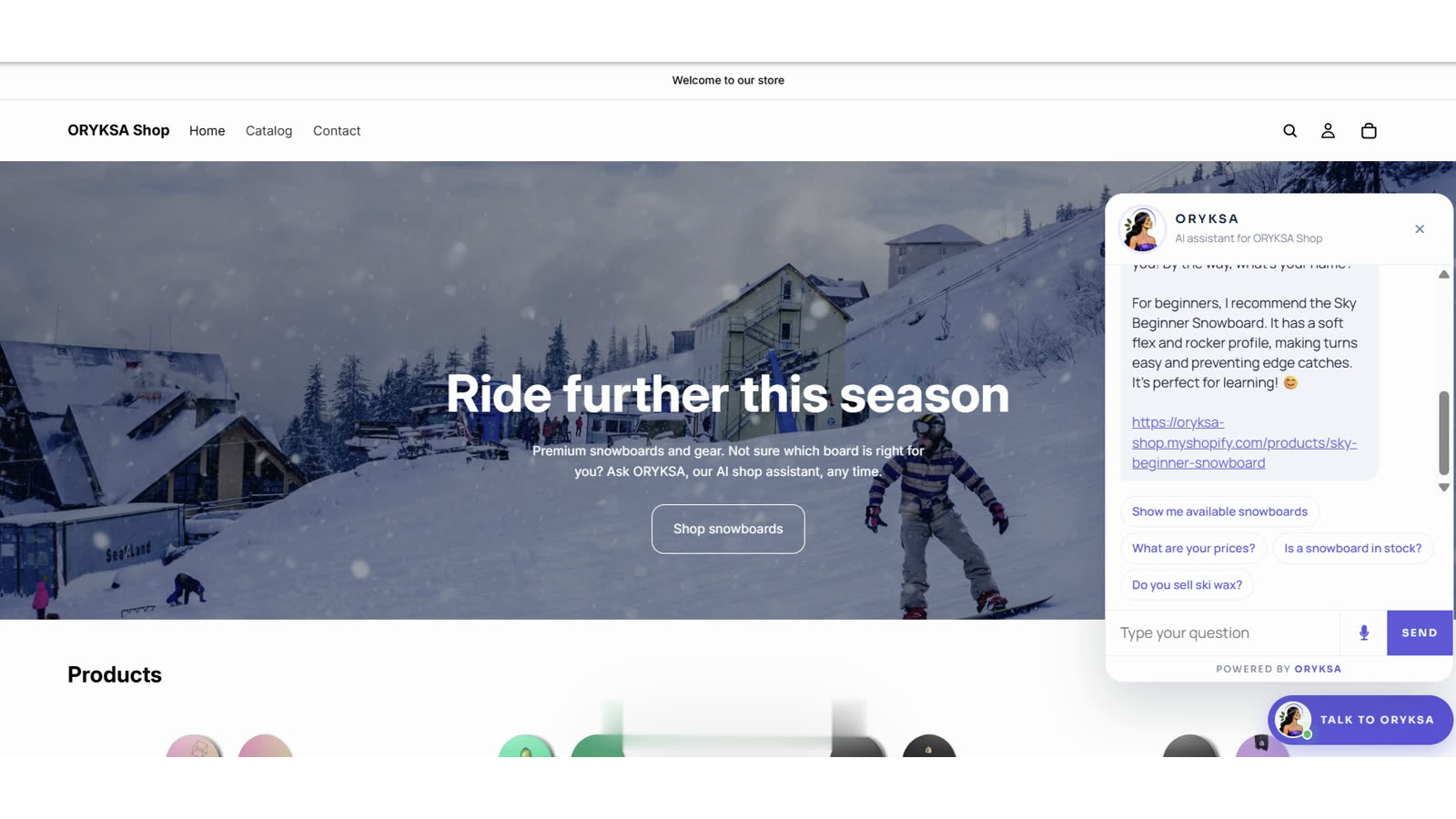
- The ORYKSA AI chat appears on your online store (bottom right corner). Shoppers can drag it anywhere, and it moves aside by itself so it never covers the product details.
- ORYKSA learns your products (name, price, variants, brand, description), your store pages and your policies.
- It answers shoppers in their language, 24/7, on the store chat, WhatsApp and Telegram, with the right prices.
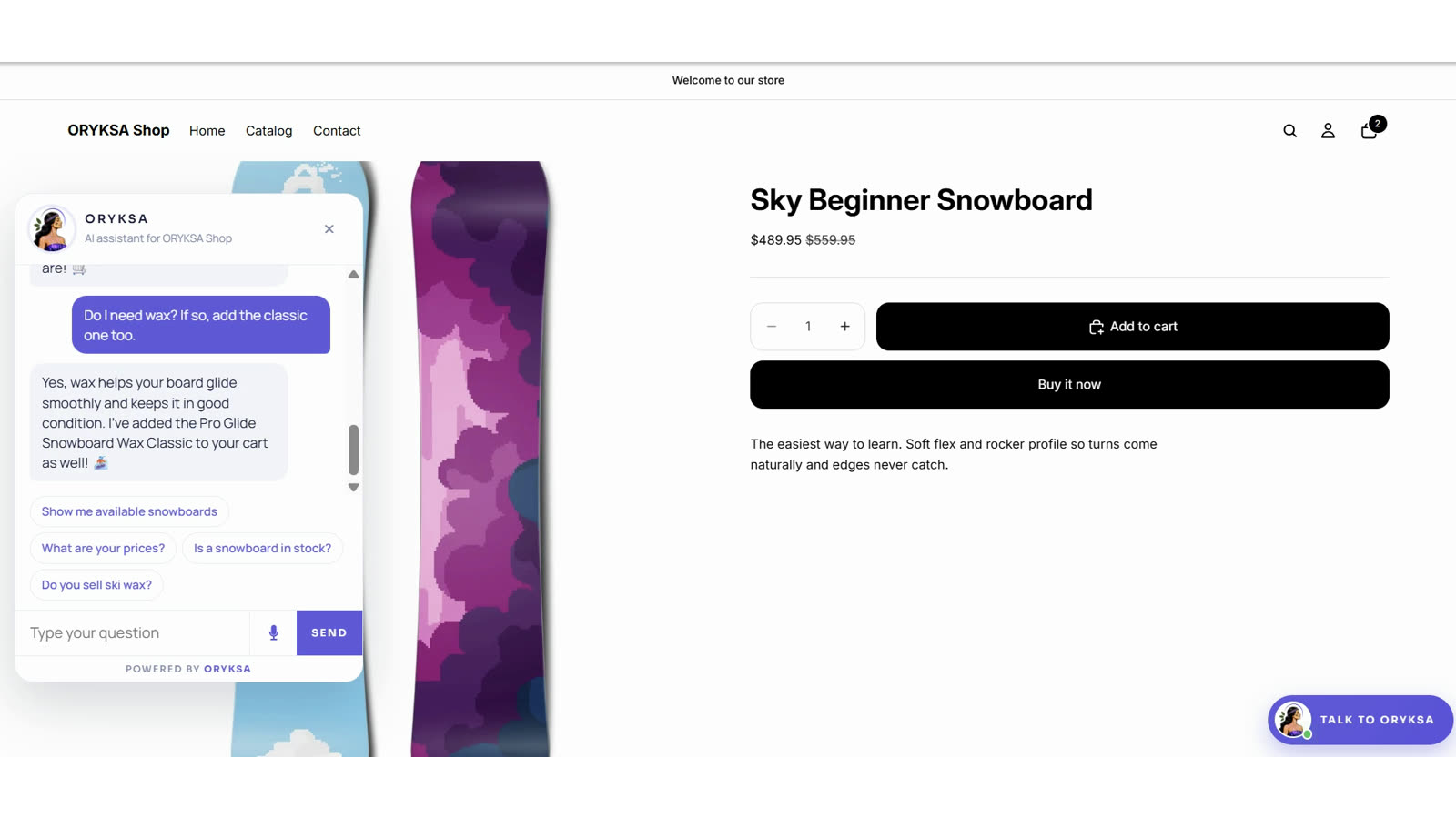
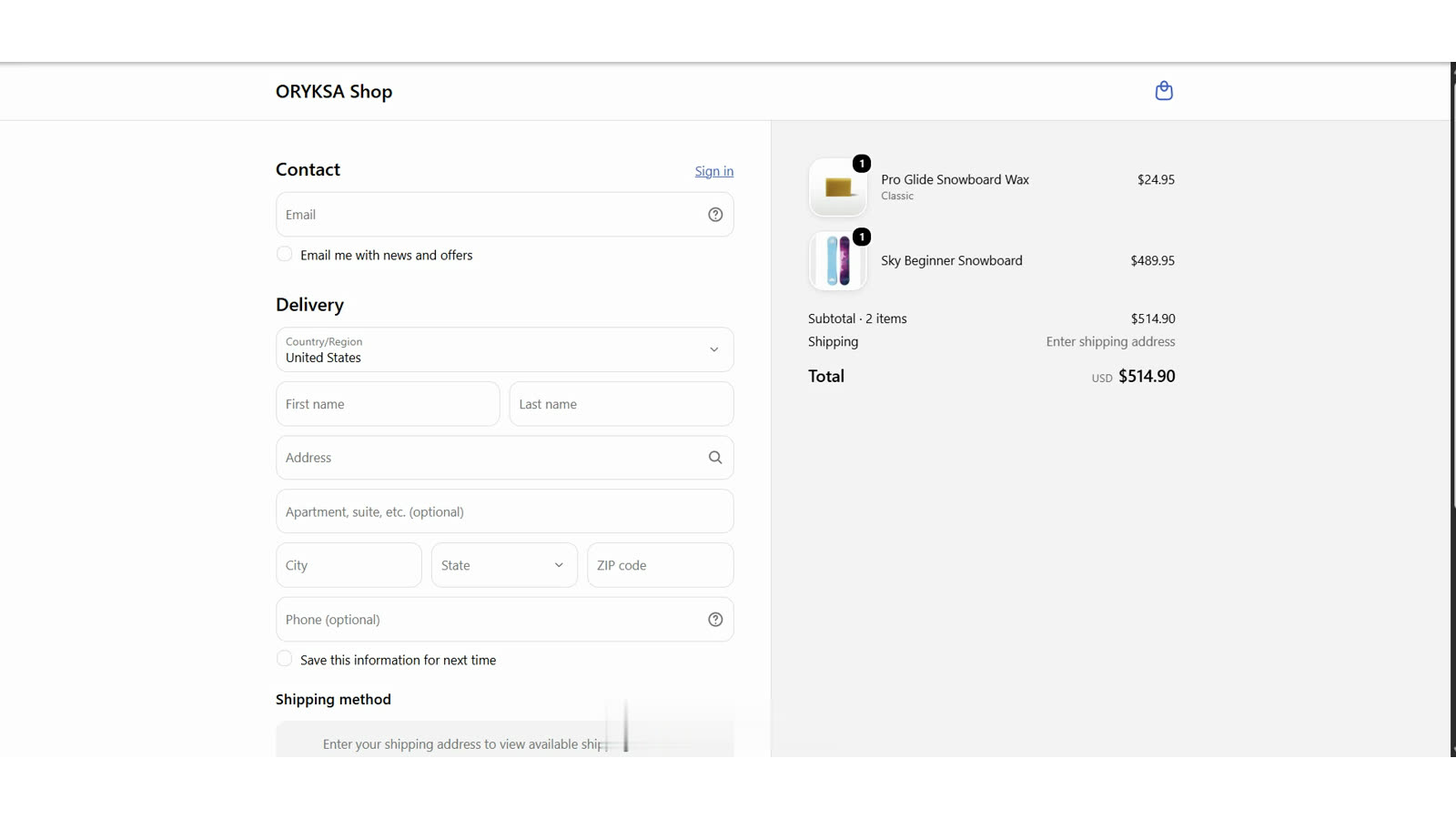
- On the store chat ORYKSA acts for the shopper: she opens the product page, adds the right variant to the cart and takes the shopper to checkout. On WhatsApp and Telegram she sends links that do the same.
- It gives order status: the shopper gives the order number and the email used on the order. Only when both match does ORYKSA share the status and tracking.
- When a shopper buys through the ORYKSA chat, you get an alert (bell, push and email) with the order summary, and the link opens that conversation in Activities.
How to install:
1. In the dashboard go to Connectors > Shopify.
2. Type your store address (your-store.myshopify.com) and click Install on Shopify.
3. Shopify shows what the app can access. Click Install.
4. Sign in to ORYKSA (or confirm the account you are signed in with) and click Connect store.
5. Click Turn on the chat in your store. Your theme editor opens on App embeds with ORYKSA chat already switched on.
6. Click Save. The chat now shows on every page of your online store, and in about a minute ORYKSA has learned your catalogue.
Turn the chat on or off by hand: in your Shopify admin go to Online Store > Themes > Customize > App embeds (left sidebar), switch ORYKSA chat on or off and click Save. If you change to another theme, switch it on in the new theme too. Connectors > Shopify shows a Turn on the chat in your store button while the chat is not live.
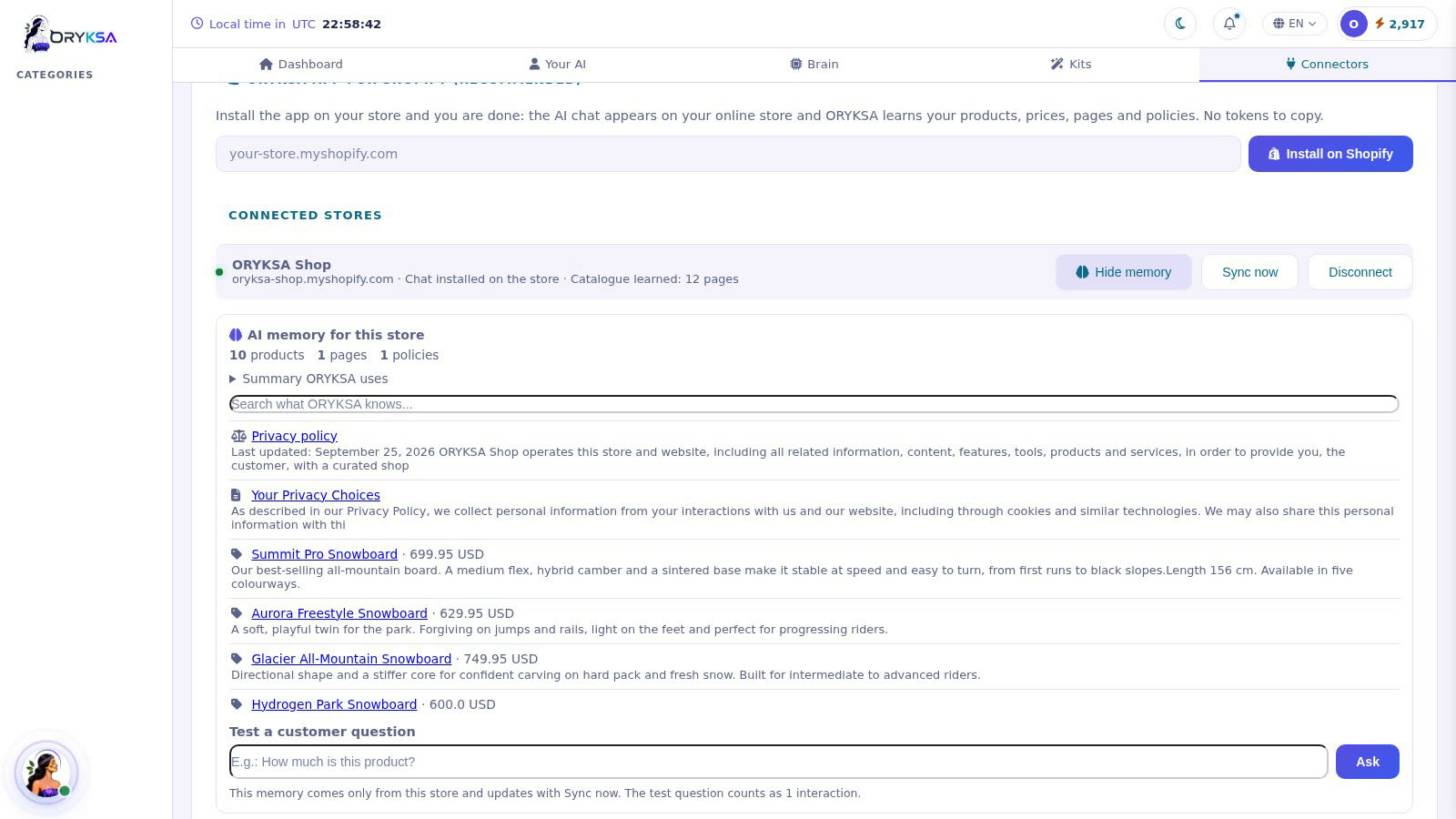
The AI memory for each store: in Connectors > Shopify click Show memory to see everything ORYKSA learned from that store (products with prices, pages, policies), search it and test a customer question. Each store has its own memory, separate from your website content.
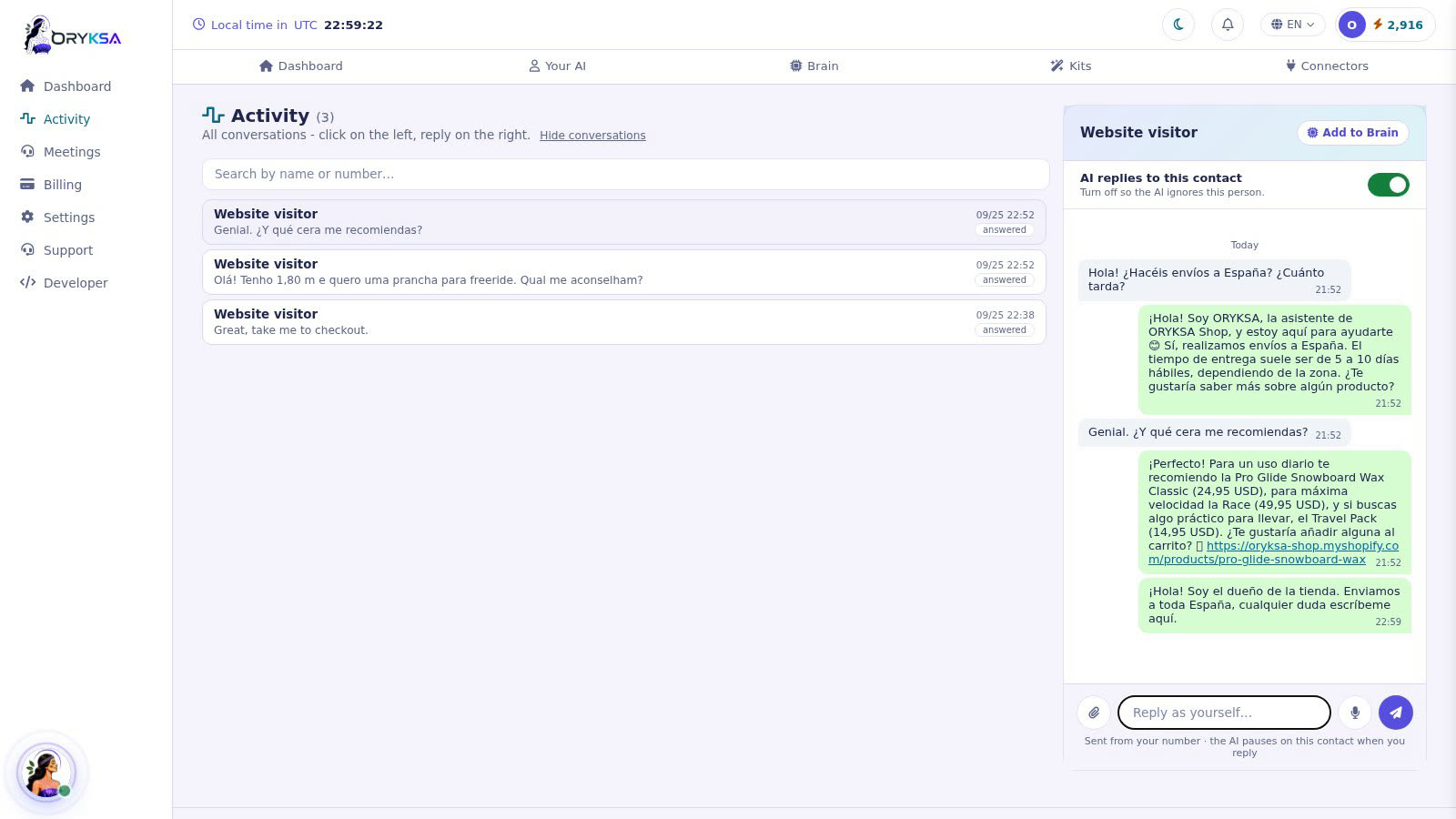
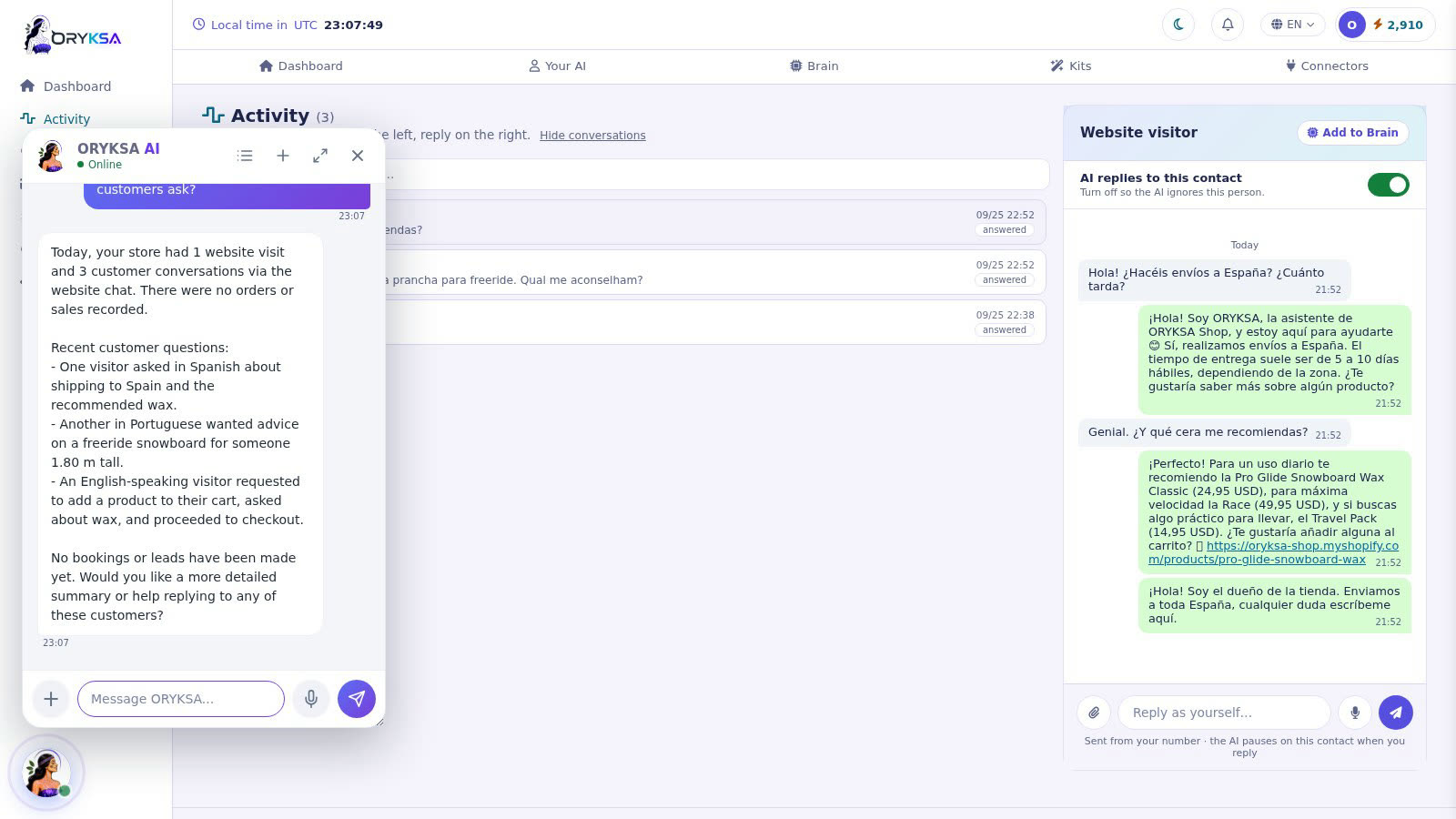
Conversations: every store chat appears in Activities, in any language. Open it to read the conversation and reply live; the AI pauses for that visitor while you talk. You can also ask ORYKSA in your dashboard chat how the store is doing: visits, what shoppers asked, and sales.
What the app can access: products, store pages and legal policies (read only), and orders (read only, only for order status questions). The chat is a theme app embed: your theme code is not changed. It never sees payments and never changes your store.
Keep the catalogue up to date: click Sync now after you change products or prices.
Plans: the store chat needs a plan with web channels. On a plan without it the catalogue is still learned (for WhatsApp and Telegram), but the chat does not show on the store.
Disconnect: click Disconnect in Connectors > Shopify (the store memory is removed), or uninstall the app in your Shopify admin (the chat is removed with it).
Advanced: you can still connect with a custom-app access token in the same page.
Didn't find what you need?
Open a support ticket and we'll get back to you fast.
Open a support ticket